

Every Asset has a story
Intelligent AMG RDP Management that secures and monitors every session
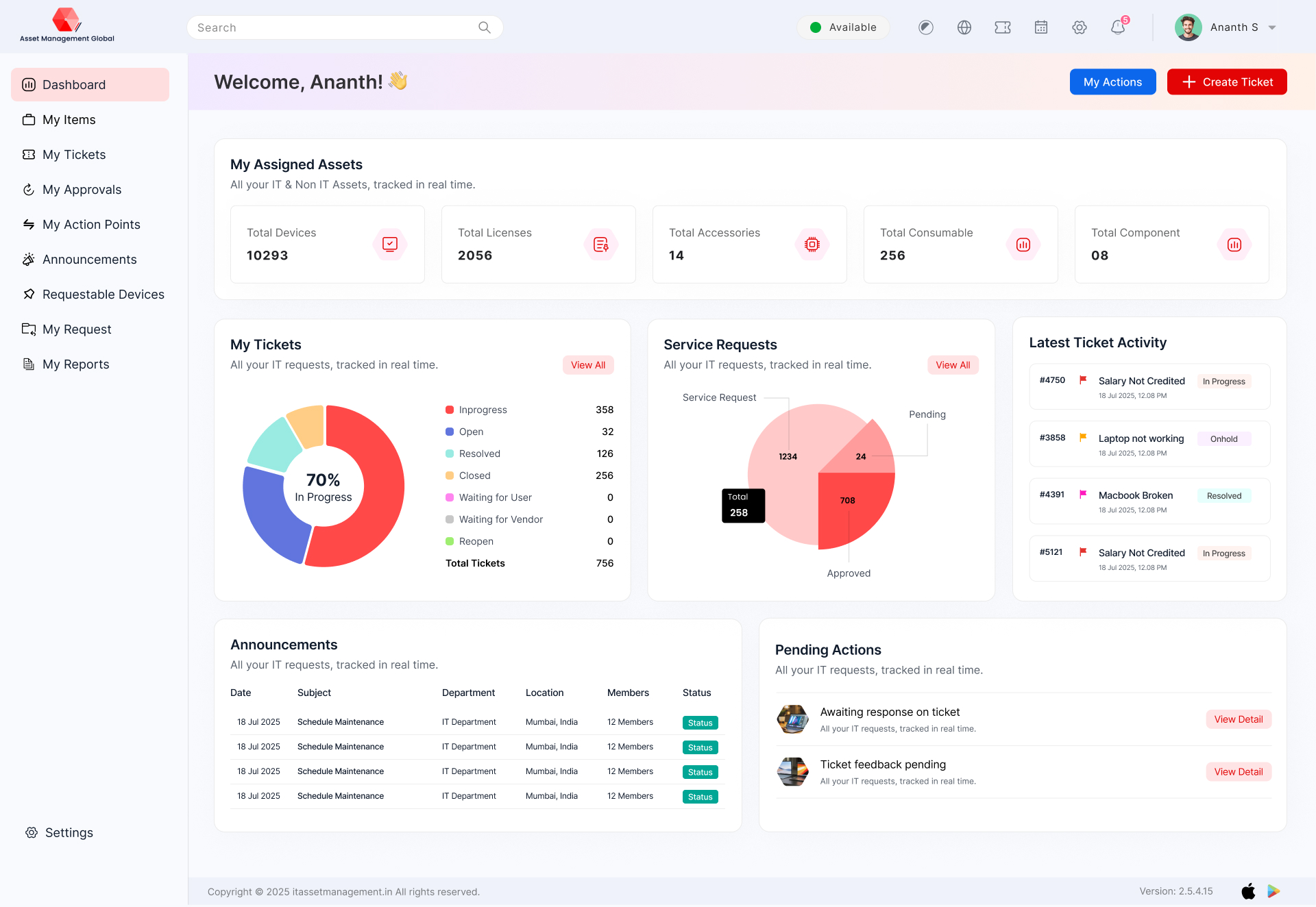
MODULES IN AMG RDP MANAGEMENT
RDP Management unlock the full potential of your investments with our comprehensive Modules in Asset Management. We break down complex strategies into clear, manageable components, helping you navigate the intricacies of the financial world with confidence. From foundational principles to advanced techniques, our modules are designed to equip you with the knowledge and tools needed to make informed decisions and optimize your portfolio for long-term growth. Explore how our structured approach can empower your asset management journey
Real-time activity monitoring
Audit log of all remote sessions
Fetch device details
Through ITM portal we can enable/disable the RDP
Integrating AMG RDP Management with Your Enterprise Technology
UNIQUE FEATURES IN AMG RDP Management
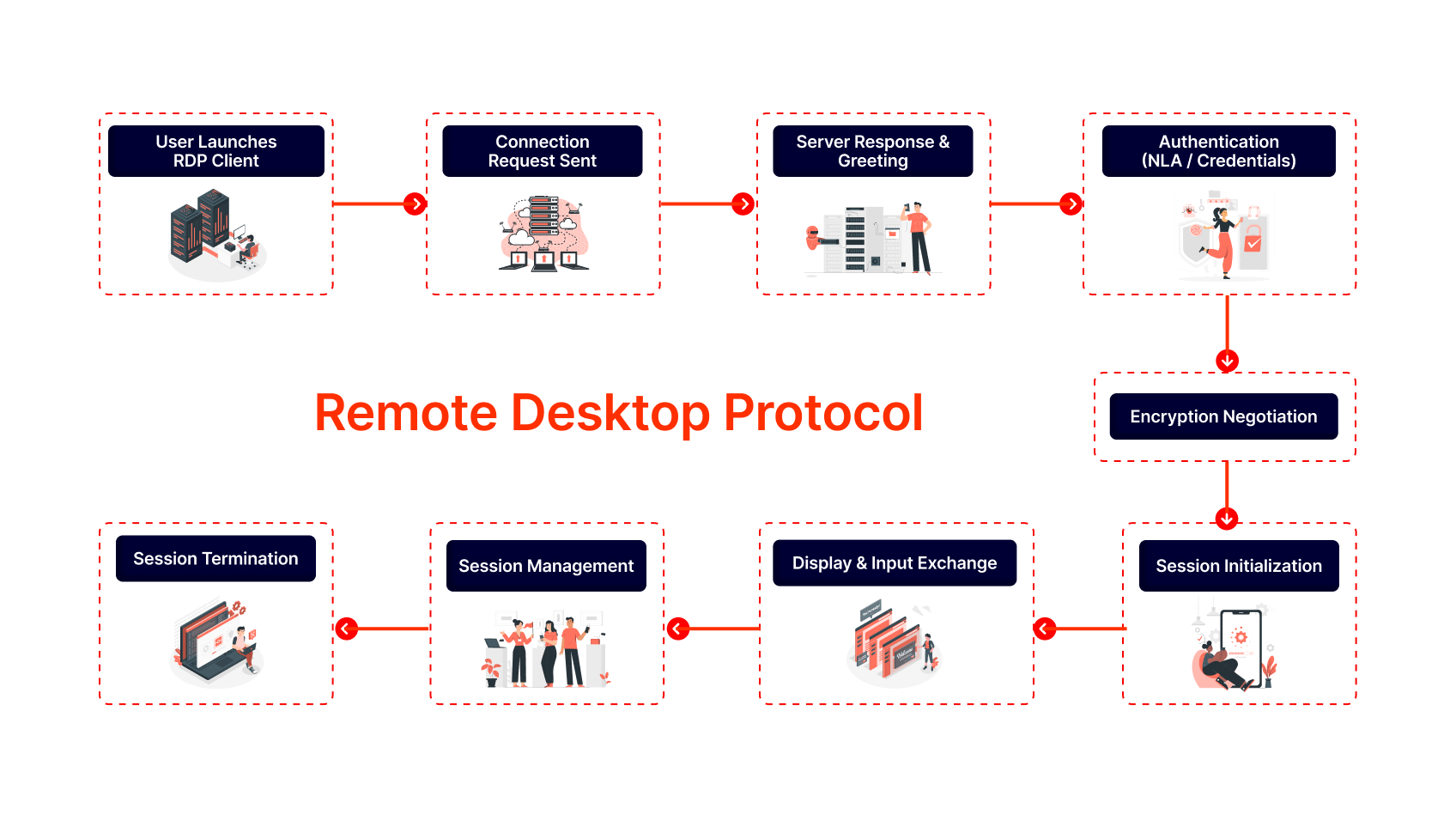
RDP (Remote Desktop Protocol) in Asset Management Global offers secure remote access, session recording, multi-user support, role-based access control, file transfer, real-time monitoring, and audit logs. These features ensure seamless remote support and efficient IT management.
Remote Control over Operations on Assets
Live Monitoring of CPU Utilization & More
Run command over the CMD
Generate Report For Your AMG RDP Management
The RDP report provides detailed insights on remote session activities, user login history, session duration, file transfers, and access logs. It enhances security, supports compliance, and helps monitor remote work performance across the organization.
Activity log report
Remote session log report
2.0

Remote Sessions and Connections

Linked Assets and Devices
Security and Compliance Events
License Tracking
Threat Indicators:
Performance and Workflow Metrics
What we track?
AMG
Everything You See on the Demo Is Available in AMG
Compliance and Audit Trails
Custom Solutions Just for You
Custom AMG RDP management solutions are tailored to your organizational needs, offering configurable access controls, multi-location support, integration with IT policies, and enhanced security features. These solutions ensure secure, flexible, and efficient remote access for streamlined IT operations and support.
- Threshold Integration
- Device Type & Device Allocation Type Menu added on top header config menu
- Dynamic Asset Tag Generation
- Internal Place Field Addition
- Device Expense Report Integration
We make creative solutions
for modern brands.
Empowering Secure Remote Work with AMG RDP Software
Client Overview
Company: Horizon Architecture & Design Ltd.
Industry: Architecture, Engineering & Construction (AEC)
Headquarters: Manchester, United Kingdom
Employees: 480+
Remote Users: 260+ across 5 countries
Challenge
Horizon Architecture & Design operates a hybrid workforce, with teams of architects, engineers, and project managers collaborating across multiple time zones. The company relied on VPN-based remote access to its design servers and CAD applications — a setup that became increasingly unreliable and insecure as the workforce expanded globally.
The existing infrastructure created several operational and security challenges:
Unstable remote connections: Lag and session drops during large file transfers or CAD rendering.
Limited access control: Inconsistent authentication processes created security vulnerabilities.
Data exposure risks: Files stored locally on remote devices rather than secured within the company network.
High IT overhead: Support teams spent hours troubleshooting remote access issues and managing credentials.
Compliance pressures: Client contracts required stricter data protection measures for remote work.
Horizon needed a secure, scalable, and high-performance remote desktop solution that could deliver consistent access to critical design tools while protecting intellectual property.
Solution
Horizon partnered with AssetManagement.Global to deploy its RDP Software, providing a secure, centralized remote access platform for employees and contractors.
Key features implemented:
High-Performance Remote Sessions: Optimized RDP connections for bandwidth efficiency and low latency on 3D design software.
Centralized Access Control: Role-based permissions and multi-factor authentication (MFA) for all remote sessions.
Session Recording & Monitoring: Real-time tracking of user activity for audit and compliance.
Secure Data Handling: No data stored on local devices — all work remains on Horizon’s internal servers.
Scalable Infrastructure: Cloud-based deployment supporting 500+ concurrent sessions.
Integrated Asset & User Management: Direct synchronization with AssetManagement.Global’s IT asset registry and Active Directory.
Implementation was completed in 8 weeks, including user training and phased migration from VPN-based access.
Conclusion
By implementing AssetManagement.Global’s RDP Software, Horizon Architecture & Design transformed its remote work infrastructure into a secure, high-performance digital workspace.
The solution provided seamless connectivity, centralized control, and robust compliance — empowering the company’s global teams to collaborate safely and efficiently on mission-critical projects.
What We Track?
In AMG RDP Management, we track user logins, session duration, access time, IP addresses, file transfers, and remote activities. This ensures secure access, user accountability, and helps in auditing, compliance, and efficient remote desktop management.
AMG RDP Management is a centralized solution that helps organizations monitor, manage, and secure all their Remote Desktop Protocol (RDP) connections. It ensures authorized access, session tracking, and compliance across all remote systems.
Yes, for compliance and audit. We log session start/end, user actions (keystrokes optional), and file transfers. All logs are encrypted and accessible via the admin dashboard for IT audits.
Yes! While RDP is native to Windows, our solution supports macOS, Linux, iOS, and Android via RDP clients like Microsoft Remote Desktop, Remmina, or Jump Desktop. You can manage any asset from any device.
The session pauses and auto-reconnects when internet is back (within 5 minutes). Unsaved work may be lost if the remote app doesn’t auto-save. We recommend local backups for critical tasks.
Yes, the solution supports multi-user monitoring. Admins can view active sessions, manage permissions, and even terminate suspicious connections instantly.