
Secure RDP Management System for Remote Desktop Access, Monitoring, and Compliance
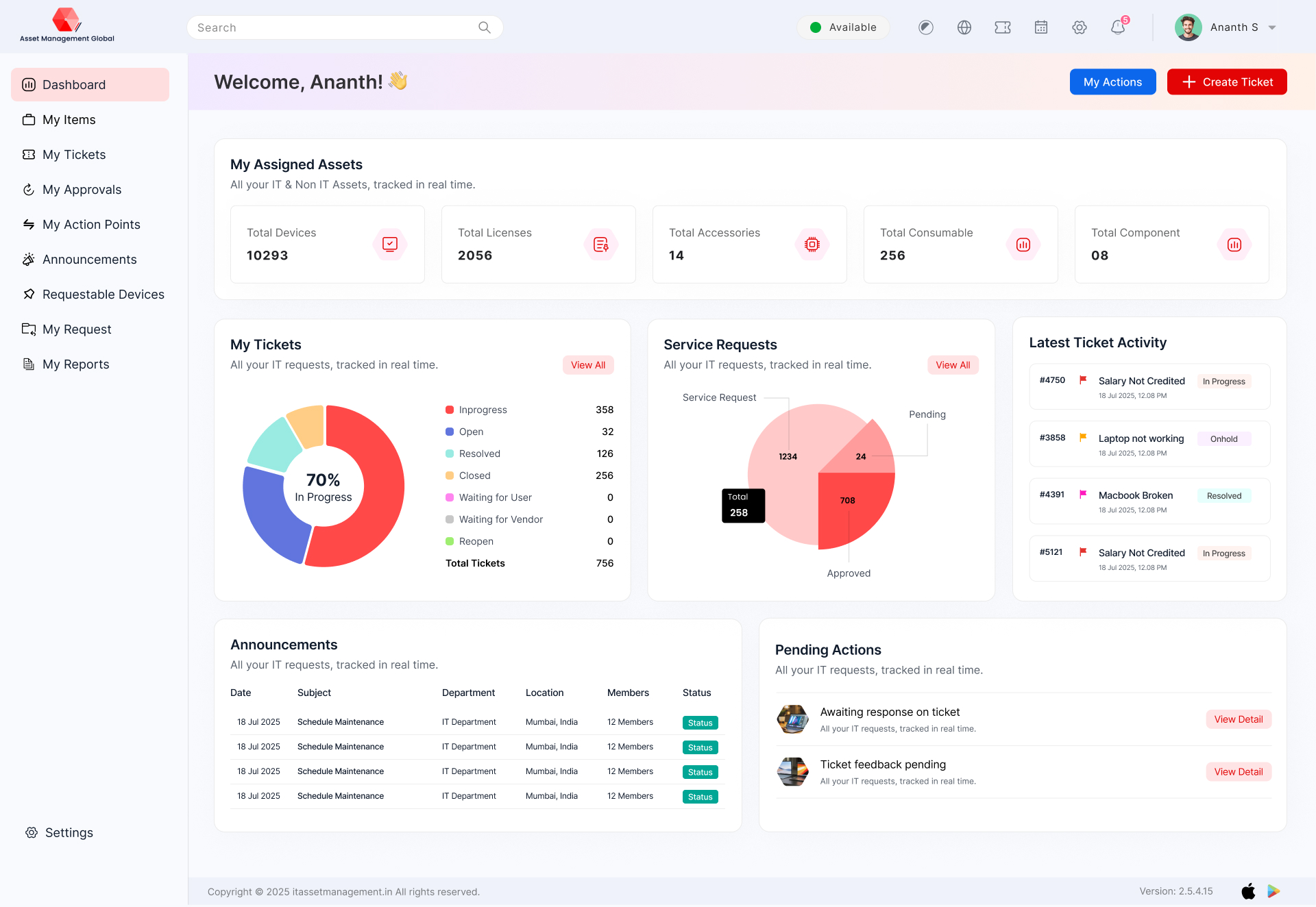
MODULES IN AMG RDP MANAGEMENT
RDP Management
RDP Management
RDP Management
RDP Management
RDP Management
RDP Management
RDP Management
RDP Management
RDP Management
RDP Management
RDP Management
RDP Management
RDP Management
RDP Management
RDP Management
RDP Management
RDP Management
RDP Management
RDP Management
RDP Management
RDP Management
RDP Management
RDP Management
RDP Management
RDP Management
RDP Management
RDP Management
RDP Management
RDP Management
RDP Management
RDP Management
RDP Management
RDP Management
RDP Management secure and control remote desktop access across your organization with RDP management software that enables centralized session monitoring, user access control, and real-time visibility. Reduce security risks, prevent unauthorized access, and maintain compliance while ensuring seamless remote operations for distributed teams.
Real-time activity monitoring
Audit log of all remote sessions
Fetch device details
Through ITM portal we can enable/disable the RDP
Integrating AMG RDP Management with Your Enterprise Technology
UNIQUE FEATURES IN AMG RDP Management
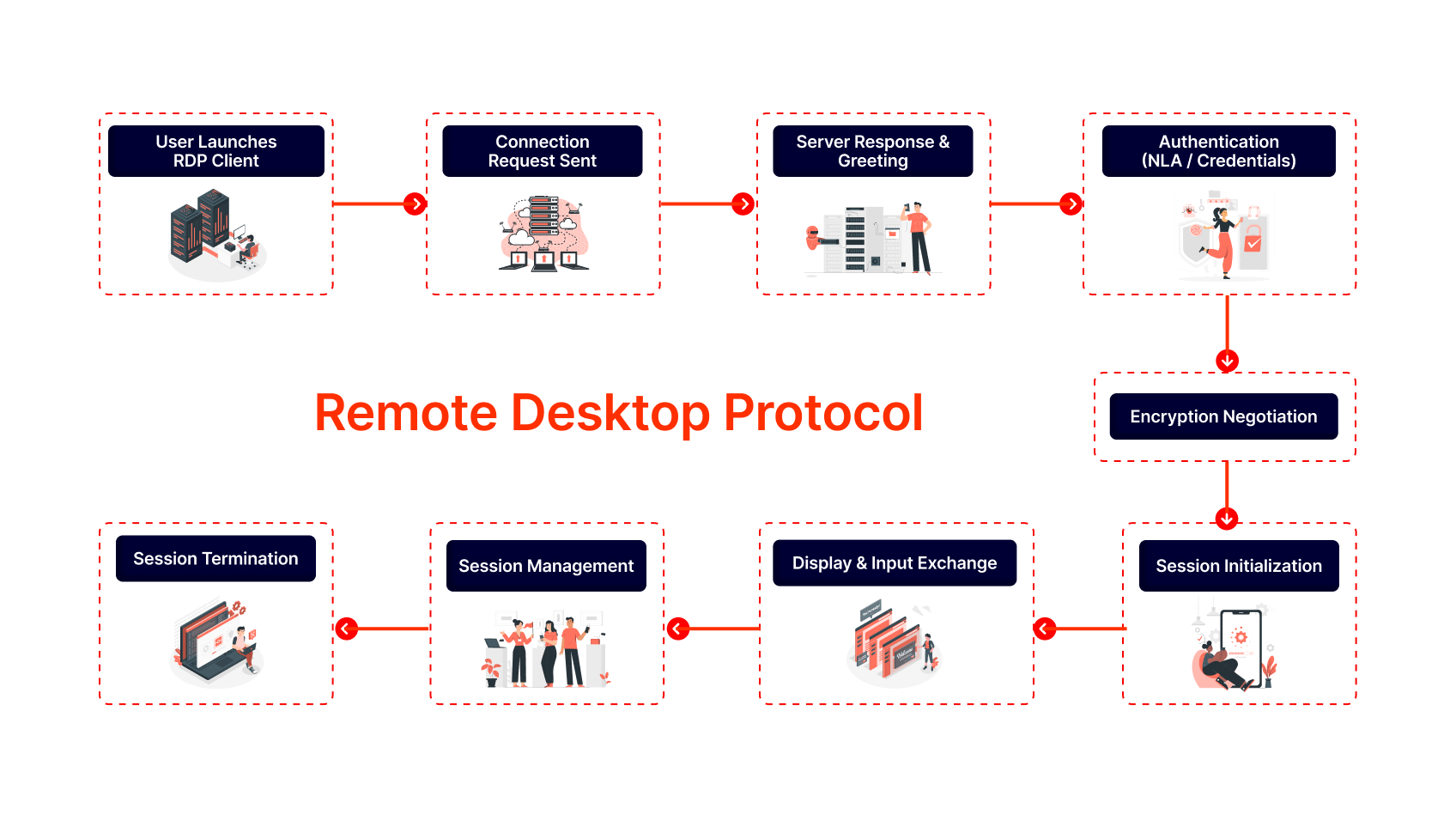
RDP (Remote Desktop Protocol) in Asset Management Global offers secure remote access, session recording, multi-user support, role-based access control, file transfer, real-time monitoring, and audit logs. These features ensure seamless remote support and efficient IT management.
Remote Control over Operations on Assets
Live Monitoring of CPU Utilization & More
Run command over the CMD
Generate Report For Your AMG RDP Management
The RDP report provides detailed insights on remote session activities, user login history, session duration, file transfers, and access logs. It enhances security, supports compliance, and helps monitor remote work performance across the organization.
Activity log report
Remote session log report
2.0

Remote Sessions and Connections
Linked Assets and Devices
Security and Compliance Events
License Tracking
Threat Indicators:
Performance and Workflow Metrics
What we track?
AMG
Everything You See on the Demo Is Available in AMG
Compliance and Audit Trails
Custom Solutions Just for You
Custom AMG RDP management solutions are tailored to your organizational needs, offering configurable access controls, multi-location support, integration with IT policies, and enhanced security features. These solutions ensure secure, flexible, and efficient remote access for streamlined IT operations and support.
- Threshold Integration
- Device Type & Device Allocation Type Menu added on top header config menu
- Dynamic Asset Tag Generation
- Internal Place Field Addition
- Device Expense Report Integration
We make creative solutions
for modern brands.
“Excellant”
Overall: The learning was excellant , we have share the information and will be a case study to pitch to other customers . The user friendliness was great , The users had a vow experience and their is every possibility of word of mouth will spread across the industry and we shall explore better avenues for business for mutual benefit,
Santhosh N.
“It makes my inventory maintenance part as easy”
Pros: As per my view, the simple and clear way feed & use the details about our goods. One to mention the customer support is good on adding my necessary.
Cons: Expect this site to be collect the laptop, pc’s specific details automatically instead I made entry manually.
RAGAVEN M.
“Very much Worthy using ITM as a Ticketing and Asset Management Tool”
Overall: It was quite a good product excellent to use, gives a platform a way to manage Asset management and Ticketing to the next level
Pros: The user friendly architecture and full of worthy utilities make this software more reliable and handy
Cons: I would say Nothing,this is simply a good software everyone should use once
Shadab A
“ITM , asset management tool suffices all our requirements. Its a true value for money product.”
Overall: We could have all our assets tracked and helped us in budgeting including depreciation of the asset value.
Pros: Its very feature rich product. Asset tagging and individual user log in are key features. Mobile App for tracking assets and raising request are very handy features for our users.
Cons: Product needs to add few more features to it request, incident and change management. Good to have offline tracking of devices .
MALLESH M
“it was too good..worthwhile experience…been using it for along time now!”
Pros: convenience…., VERY PROMPT..very useful in daily inventory management…in fact it is completely user friendly…useful for managing local compliances
Cons: not as such..need more reporting option..otherwise tool is excellent and support is also good enough
Madhukar K.
“Asset Management IT review”
Pros: I found that this software very Easy of use,
Cons: The UI (User Interface) i.e. looks of the software need some improvement
Reasons for Choosing ITM IT Asset Management: Relations and proximity
Alok N.
“ITM Review”
Overall: The rich feature set and ongoing innovation makes it a perfect product
Pros: Features included are what you need on a regular basis. The module based approach again lends to the ongoing thought process of having a feature set only when u need it.
Cons: The mobile app should be available for the on premises setup as well.
Akash C.
Empowering Secure Remote Work with AMG RDP Software
Client Overview
Company: Horizon Architecture & Design Ltd.
Industry: Architecture, Engineering & Construction (AEC)
Headquarters: Manchester, United Kingdom
Employees: 480+
Remote Users: 260+ across 5 countries
Challenge
Horizon Architecture & Design operates a hybrid workforce, with teams of architects, engineers, and project managers collaborating across multiple time zones. The company relied on VPN-based remote access to its design servers and CAD applications — a setup that became increasingly unreliable and insecure as the workforce expanded globally.
The existing infrastructure created several operational and security challenges:
Unstable remote connections: Lag and session drops during large file transfers or CAD rendering.
Limited access control: Inconsistent authentication processes created security vulnerabilities.
Data exposure risks: Files stored locally on remote devices rather than secured within the company network.
High IT overhead: Support teams spent hours troubleshooting remote access issues and managing credentials.
Compliance pressures: Client contracts required stricter data protection measures for remote work.
Horizon needed a secure, scalable, and high-performance remote desktop solution that could deliver consistent access to critical design tools while protecting intellectual property.
Solution
Horizon partnered with AssetManagement.Global to deploy its RDP Software, providing a secure, centralized remote access platform for employees and contractors.
Key features implemented:
High-Performance Remote Sessions: Optimized RDP connections for bandwidth efficiency and low latency on 3D design software.
Centralized Access Control: Role-based permissions and multi-factor authentication (MFA) for all remote sessions.
Session Recording & Monitoring: Real-time tracking of user activity for audit and compliance.
Secure Data Handling: No data stored on local devices — all work remains on Horizon’s internal servers.
Scalable Infrastructure: Cloud-based deployment supporting 500+ concurrent sessions.
Integrated Asset & User Management: Direct synchronization with AssetManagement.Global’s IT asset registry and Active Directory.
Implementation was completed in 8 weeks, including user training and phased migration from VPN-based access.
Conclusion
By implementing AssetManagement.Global’s RDP Software, Horizon Architecture & Design transformed its remote work infrastructure into a secure, high-performance digital workspace.
The solution provided seamless connectivity, centralized control, and robust compliance — empowering the company’s global teams to collaborate safely and efficiently on mission-critical projects.
What We Track?
In AMG RDP Management, we track user logins, session duration, access time, IP addresses, file transfers, and remote activities. This ensures secure access, user accountability, and helps in auditing, compliance, and efficient remote desktop management.
AMG RDP Management is a centralized solution that helps organizations monitor, manage, and secure all their Remote Desktop Protocol (RDP) connections. It ensures authorized access, session tracking, and compliance across all remote systems.
Yes, for compliance and audit. We log session start/end, user actions (keystrokes optional), and file transfers. All logs are encrypted and accessible via the admin dashboard for IT audits.
Yes! While RDP is native to Windows, our solution supports macOS, Linux, iOS, and Android via RDP clients like Microsoft Remote Desktop, Remmina, or Jump Desktop. You can manage any asset from any device.
The session pauses and auto-reconnects when internet is back (within 5 minutes). Unsaved work may be lost if the remote app doesn’t auto-save. We recommend local backups for critical tasks.
Yes, the solution supports multi-user monitoring. Admins can view active sessions, manage permissions, and even terminate suspicious connections instantly.